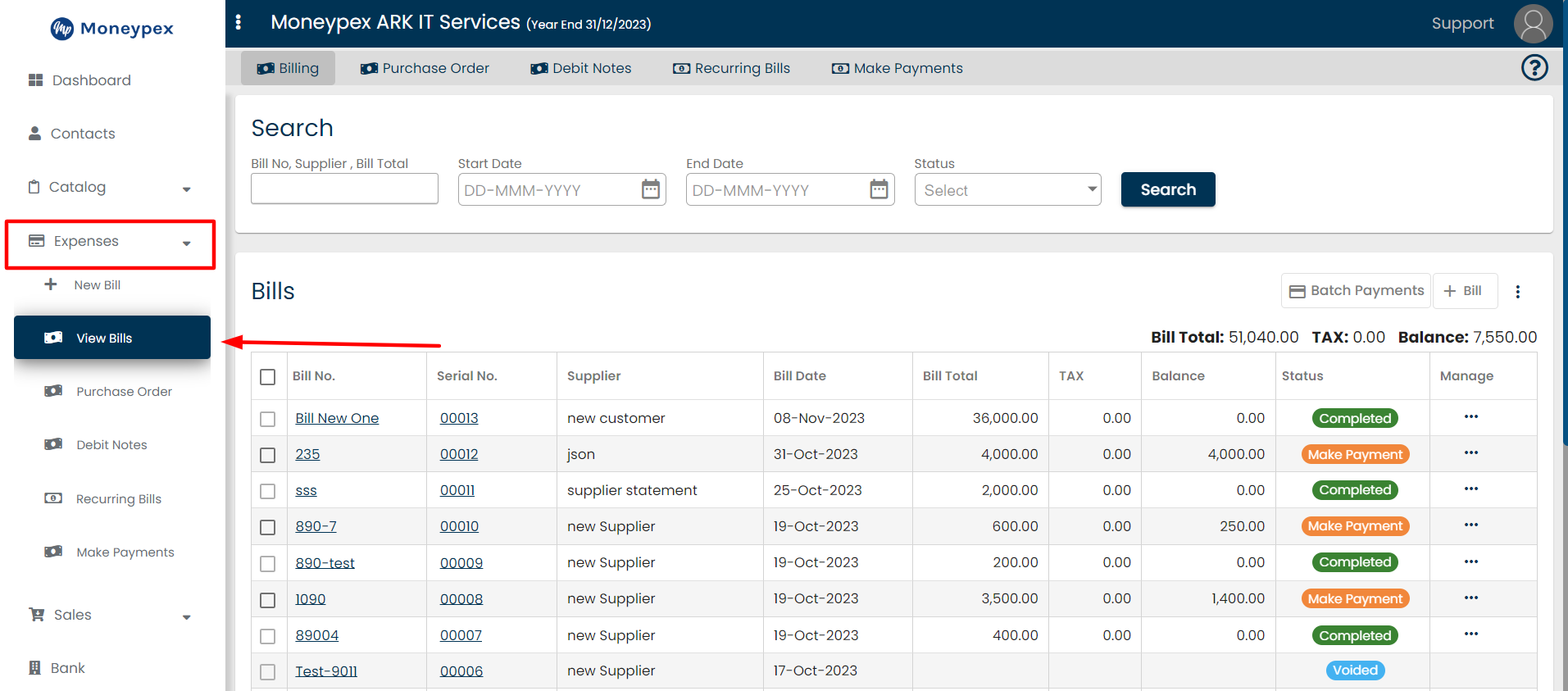
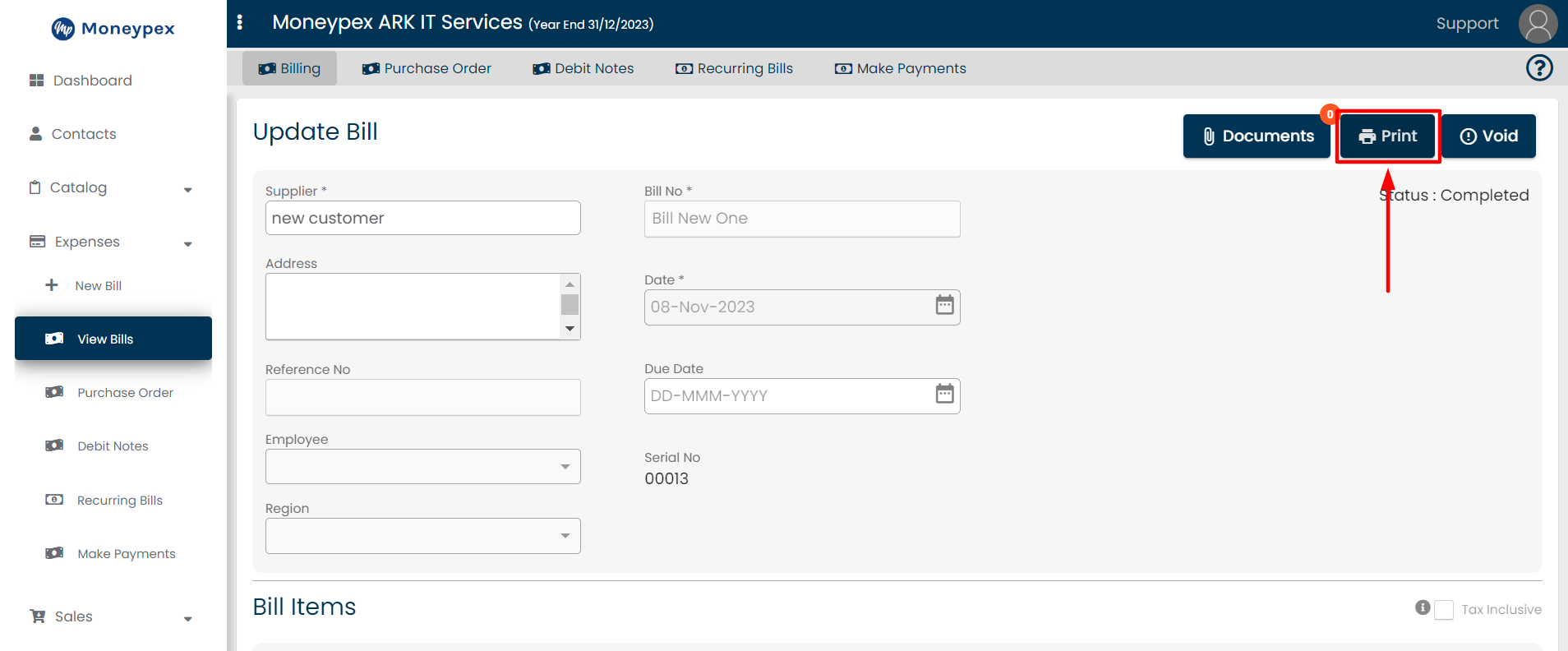
James Accounting November 23, 2023 Table of Contents Go to Expenses Click on the Expenses from the left sidebar.A dropdown will appear, click on View Bills. Open any bill details.Click on the Print button. Select bill print type PDF and click on Print button. Share on Facebook Share on Twitter