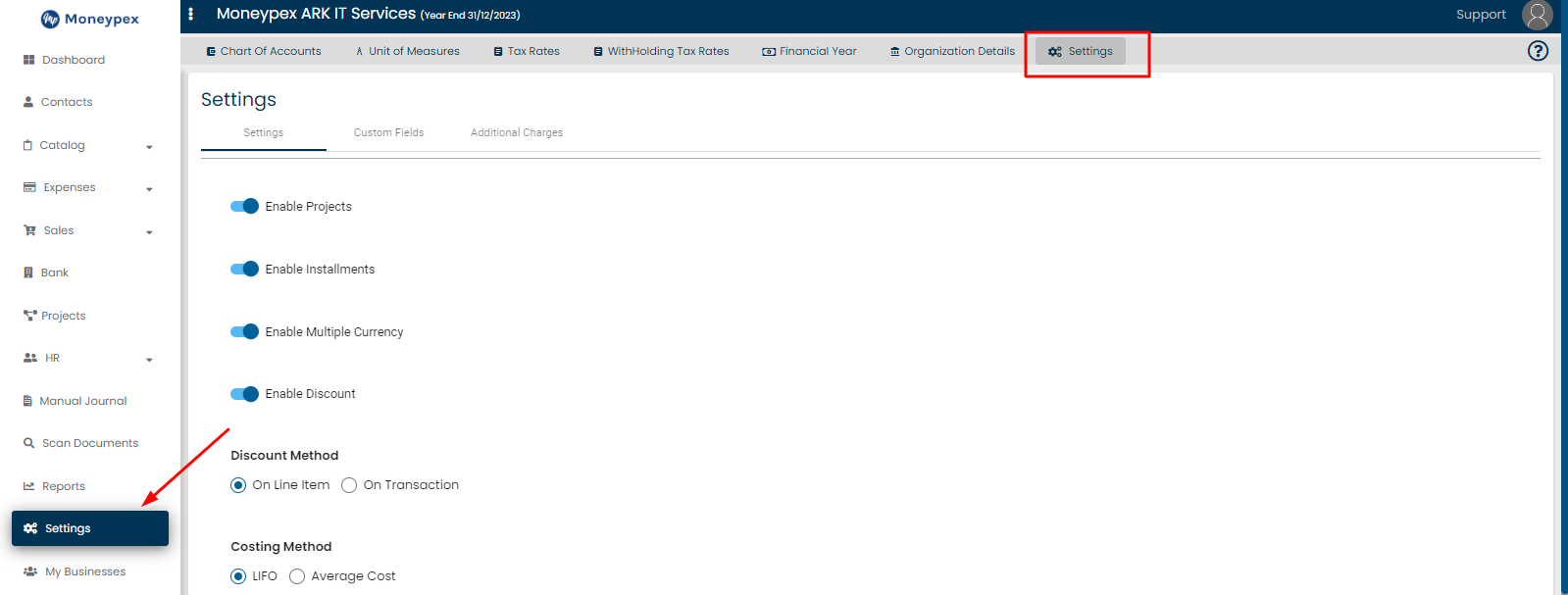
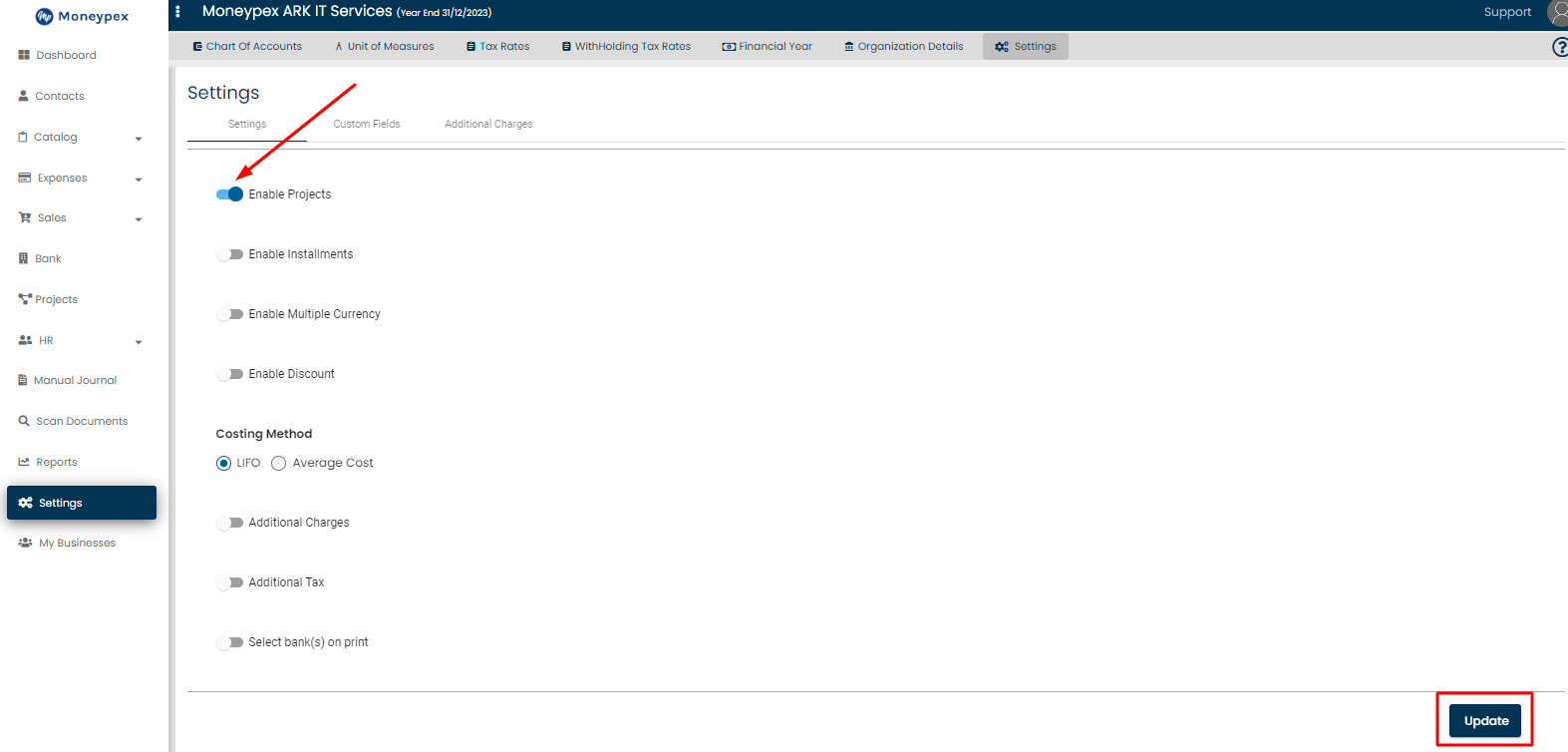
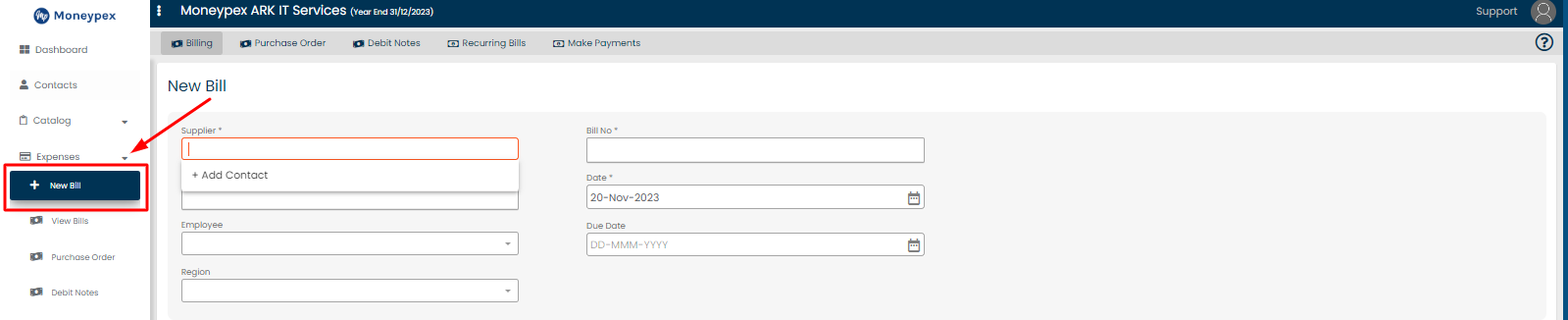
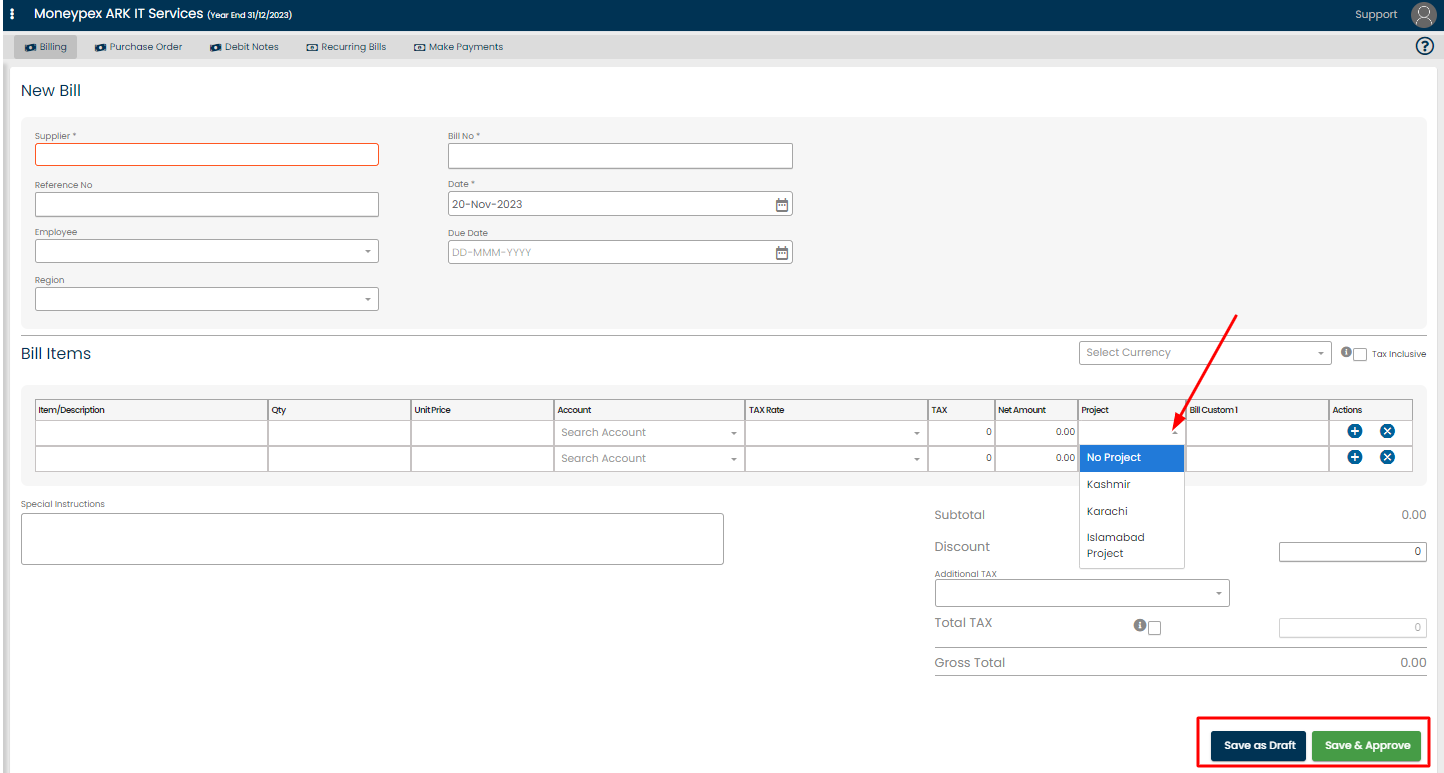
James Accounting November 28, 2023 Table of Contents Go to Settings Click on Settings from the side menu bar.Click on Settings on the top menu bar. Check Enable Projects and Click on Update. Click on Expenses > New Bill. Select Project Name and click on any Save Option. Share on Facebook Share on Twitter